My First Tower (Part 4)

Once the tower was selected I started the process of nailing down the aluminum that would be on the top of the tower.  Since I felt this would probably be the only tower I ever have installed, some of my key requirements were:

  1. Get the maximum band coverage from the antennas on the tower ( 40m thru 70 cm)
  2. The antennas had to have a good reliability history with a minimum of parts that might fail (traps or moving parts).
  3. Install long life feed-lines (hardline)
  4. An oversized rotor to reduce the risk of a rotor failure
  5. Chrome Molly mast
  6. 60-70′ self supporting tower
  7. Dual thrust bearings; so the rotor could be easily replaced without removing the antennas
  8. Only two feed-lines to the ham shack (switching required at the base of the tower in a weather proof enclosure)
  9. High quality lightening protection
  10. Select tower to withstand 110 mph wind without ice and a 85 mph with 1/2 inch of ice.

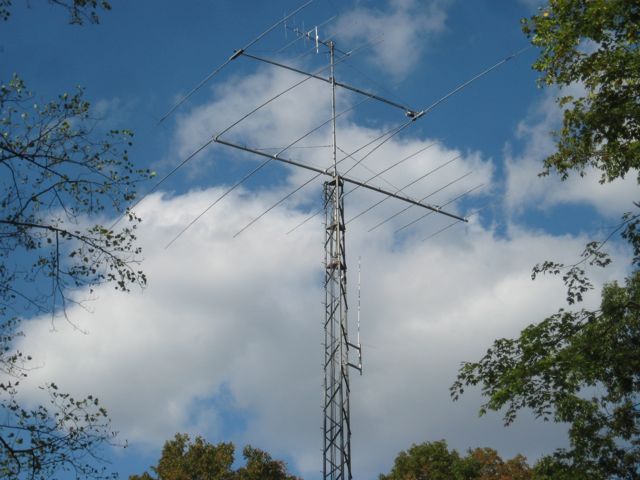
Ultimately the primary antenna I selected was an M2 10-30 LP8, 8 element log periodic, which  covers 30m to 10m.  For 40m I selected a Cushcraft XM-240 2 element yagi and for 6m, 2m and 70cm I selected a Cushcraft A627013S.

The rotor I selected was an M2 Orion 2800P w/o their controller.  I ordered a Green Heron RT-21 rotor controller.

Once the material list was complete and had been approved by Don, I began to place orders.  Some of the items had longer lead times than others.   As the materials arrived I marked them as having arrived on the Excel spreadsheet.  Once all of the materials had arrived it was time to construct the tower base.
Digging the Hole

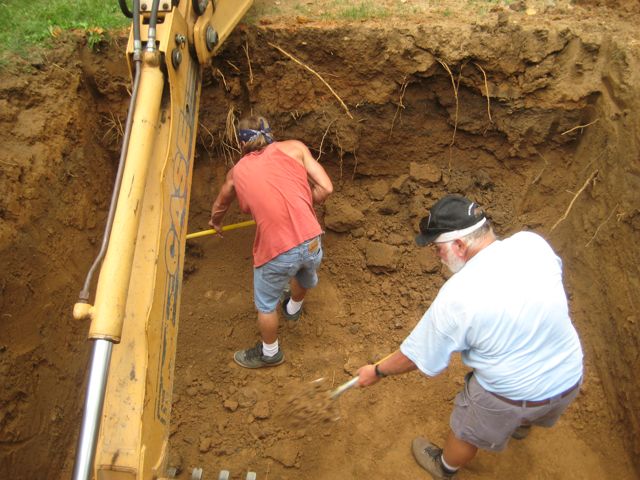
Digging the Hole


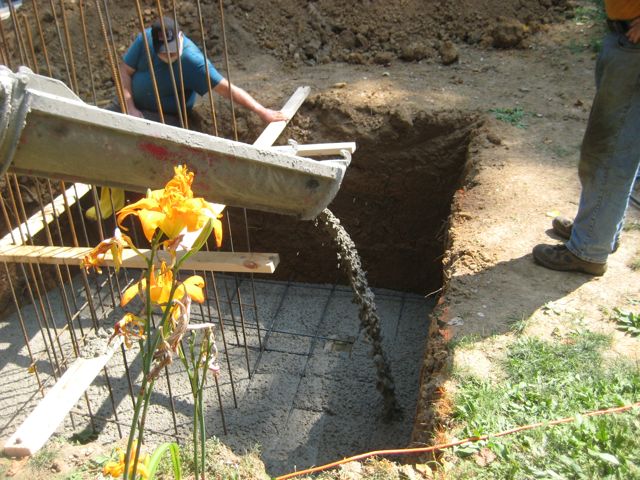
The base for the 70′ Trylon Super Titan requires a larger base.  I chose a pad and pier design.  The pad is 10′ by 10′ x 2.5′ with a 5′ x 5′ x 5′ pier.  The base took a total of nearly 16 yards of concrete.


Pouring the Pad

Pouring the Pad


Once the 10′ x 10′ x 7′ deep hole was completed it was time to pour the pad.


Pouring the Pad

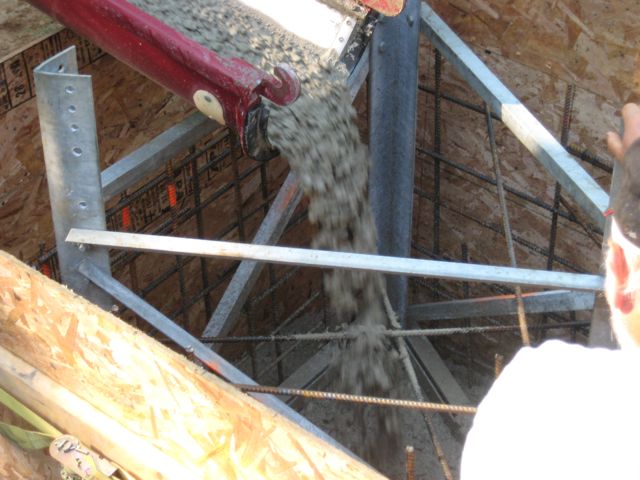
Pouring the Pad


Once the pad was pour a second pour was made for the pier.
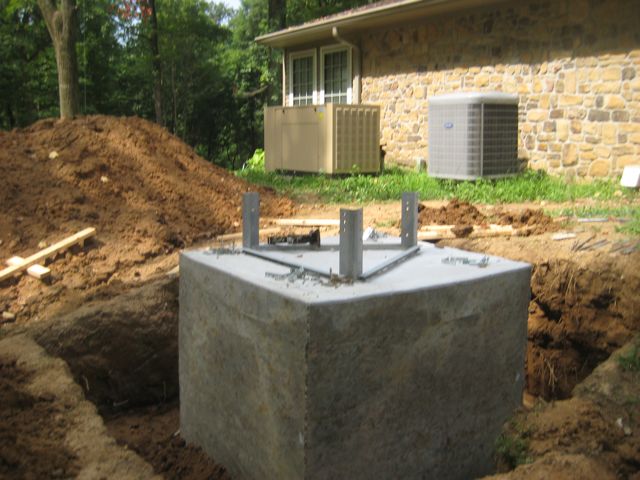


Completed Base

Completed Base

Once the forms were removed we get our first look at the mammoth chunk of concrete.
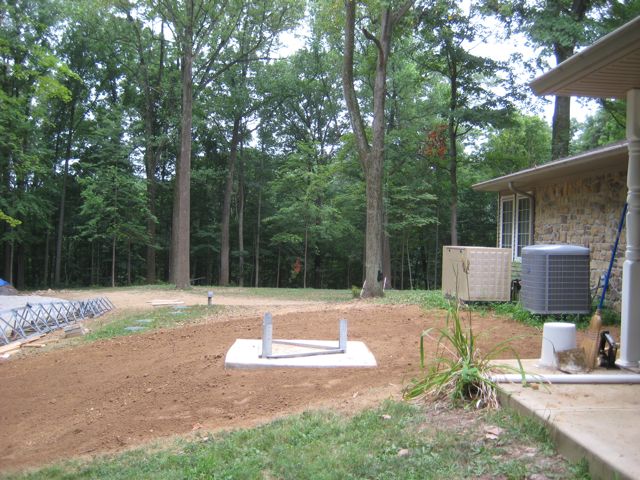


Base After Final Grade

Base After Final Grade

The final step was to use a use a motorized soil compactor to pack the soil tightly against the base.  This was followed by a final grade and grass seed.  The tower base was sprayed several times a day to assist in the curing.  The base then had to wait at least thirty days before the tower could be installed.

In the next installment well move into the antenna assembly and tower installation. Until next time,

73,

Fred
My First Tower (Part 3)

While I was waiting for the woods to be cleared I started the process of preparing my application for a building permit.  The first step was obtain a copy of the zoning regulations for my county.  I was able to download the latest zoning regulations from County Zoning Boards website.

The next step was to read the regulation cover to cover (several times) paying particular attention to any language dealing with towers and tall structures.  The information for towers and tall structures was spread out through the entire document.  After highlighting the appropriate sections I started gathering the information that would be needed in the building permit.  This is where Fred Hopengarten’s book, Antenna Zoning for the Radio Amateur, was very helpful.  His book contains a CD that has sample applications and a number of other useful documents.

Much of the information in the Zoning Regulations was included to address cellular phone towers.  Unfortunately, the regulation did not specifically address amateur radio structures and the language which addressed cell phone towers did not exclude amateur radio towers and  included a number of requirements I could not meet.  This is when I called the Zoning Department to get clarification. Since I am zoned rural, the requirements for my tower were not covered by the section on radio towers but in the section on farm structures (silos etc.).  As long as my tower was under 100′ in height I would not need present my application at a zoning board meeting; which was a relief.  All I had to do was drop off the regulation at the zoning department along with a check!

The final application included:

  1. A description of the tower along with the various codes that the tower complied with.  I also included an engineering drawing of the tower.
  2. Drawing showing property line and road setback distances
  3. Technical drawing of the tower base (obtained from Trylon)
  4. I also included a copy of my RF exposure analysis even though it was not a requirement for the permit but had to be done to comply with the FCC requirements.  I found an website where I could load in my information on power, distances and antenna gains and perform the calculations.
  5. I also included a Photoshop created image of what the tower would look like from the street.  Fred talked about how to do this in his book.
Photoshop Created Image Showing How the Tower Would Appear when Installed

Photoshop Created Image Showing How the Tower Would Appear when Installed


It is amazing how close the final installation looks like the initial Photoshop created drawing.  You my need to click on the photo to see the tower hidden in the trees just to the left of the house.  The actual tower looks nearly identical to this Photoshop mockup.

Once I submitted my permit and paid my application fee I had a building permit in my hands within a week.  I feel fortunate compared to many hams that find it nearly impossible to obtain the critical building permit.

At the same time I was preparing the building permit application, I contacted Don Daso, K4ZA, to see if he would be available to install my tower.  He said he would be available, but it would be a several months before he could actually start the work.  He suggested that he perform a site survey during one of his upcoming trips to work with another client.  Prior to the site survey I sent Don my preliminary specifications (tower height, antenna selections etc).  During the site survey Don suggested several changes to my preliminary list.  Most were aimed at improving the reliability of components on the tower (rotor, antenna selections, hardline versus coax, lightening protections and antenna selections.

At this point Don and I began to pass an Excel spreadsheet back and forth through email so that he could continue to review and approve as I made the suggested changes.  The Excel spreadsheet was also used to keep track who would provide the various components that would be needed (me or Don).  I also used this spreadsheet to track the order and delivery of all the stuff after the orders were placed, and to keep track of the mounting costs.

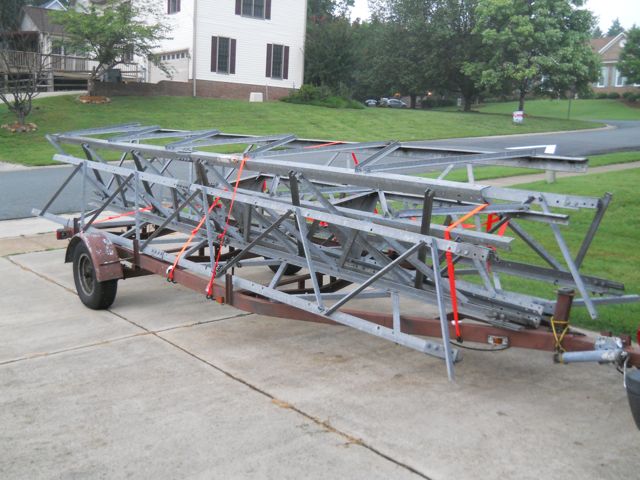
TowerPhotoOnTrailerDon also contacted me and told me he had found a nearly new takedown tower that was identical to the one I had planned to purchase.  I contacted the owner of the tower and we agreed on a price.  Don then  picked up the tower and  dropped at my place on the way to another client. Don saved me a bundle on the tower.  The Trylon Super Titan was like new and I got it for about 40% the cost of a new tower.

In the next installment I’ll briefly describe the hardware on the tower and start the construction process.

73,

Fred

My First Tower (Part 2)

After I had made the decision to put up a tower I realized I didn’t know where to start.  After doing some initial searching on the internet I found a few sites wherer other hams chronicled their own tower installations.  Most of those sites focused on the actual installation of the tower and did not cover any of the preliminary steps such as:

  1. Site selection
  2. Building permit preparation and approval
  3. tower and antenna selection
  4. RFI analysis
  5. Selection of all of the other components needed to make the system work (rotor, rotor control, coax, rotor cable, switching and lightning protection and grounding).

I then purchased three books that I found very helpful.  They were Up the Tower, by Steve Morris, Antenna Towers for Radio Amateurs by Don Daso and Antenna Zoning for the Radio Amateur by Fred Hopengarten.  After reading each of these books cover to cover I quickly realized that a lot of planning and preparation would be needed to insure a reliable, long lasting and well performing tower installation.

My next step was to contact W9RE, a local ham I knew had significant experience installing and maintaining towers.  W9RE, Mike,  is a legend in the ham radio world for his world class performance in contests.  His station also has a world class antenna farm.

Mike visited my house and helped me scope out a couple of potential locations for the tower.  Mike pointed out that a number of trees would have to be removed to make room for the tower and beams.  It also appeared that additional trees might have to be removed to make the space needed to actually erect the tower. Mike also, suggested the names of a couple of hams that might be willing to do a turnkey installation.

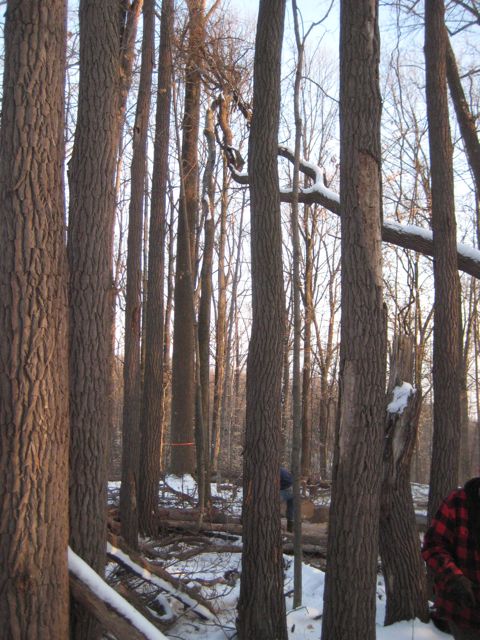
TreesBefore

Woods Behind House

I thought my dreams of a tower were about to come to and end since my wife was not pleased at the prospect of having to remove a bunch of trees to make room for a tower.   Fortunately, another event occurred that made the issue of the trees a moot point.   Our septic system failed.  After a visit by the local health inspector it was determined that we would have to install a new septic field.  Because of the new stringent regulations governing septic systems in our county we were told we would have to clear nearly an acre of woods behind our house to make room for the new septic field!  I would not be allowed to install my tower in the septic field, but the removal of nearly 100 trees would open up a lot of space that could be used to erect the tower.


TreeRemoval

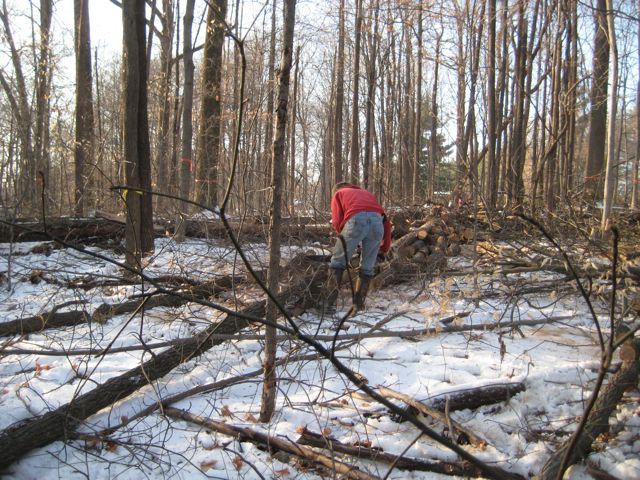
Tree Removal Begins

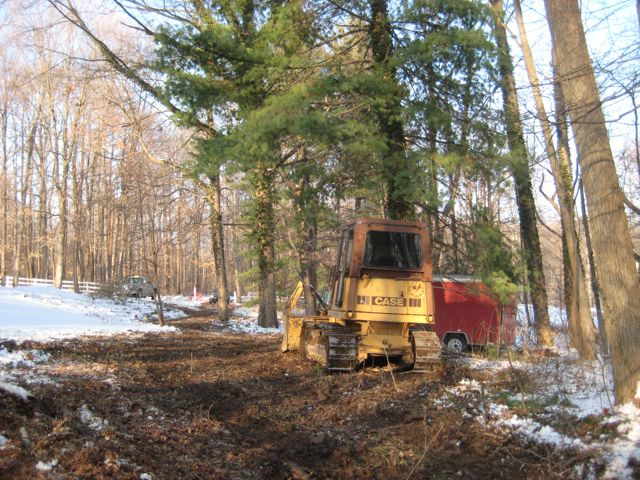
The process of clearing the field for the new septic field started in December 2010.  However, because of the weather and other factors the tree removal took nearly four months.  The building code required that the trees and a large portion of the roots had to be removed.  Her are a few more photos showing that process.  There were chains saws, a bulldozer and backhoe busy for weeks clearing the field to make room for the new septic system. Several tri-axles full of wood had to be hauled away.

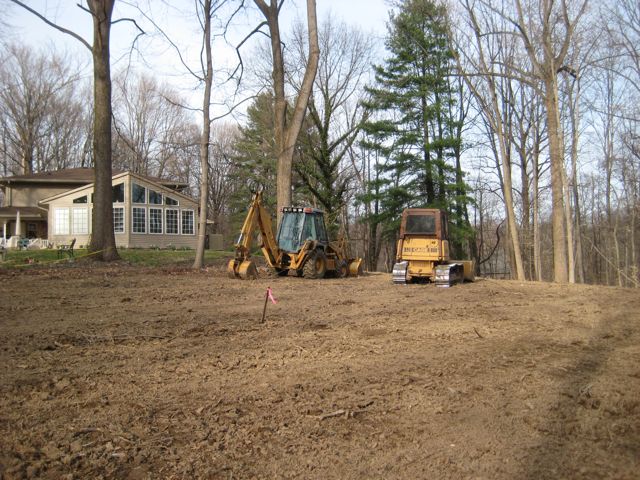
After

After Trees Removed

NewRoad

New Driveway


The next issue we ran into was that we had to build a second driveway to provide access to the new septic field otherwise we would have to wait until August for the ground to get solid enough to bring in the tanks, gravel and other items needed for the septic system.


The photo to the right shows the new driveway before it was layered with 15 loads of crushed stone.

In the end, the new driveway was very useful during the tower installation.  It enabled easy access by the concrete trucks and ultimately by the 120′ crane that was used to erect the tower and antennas.

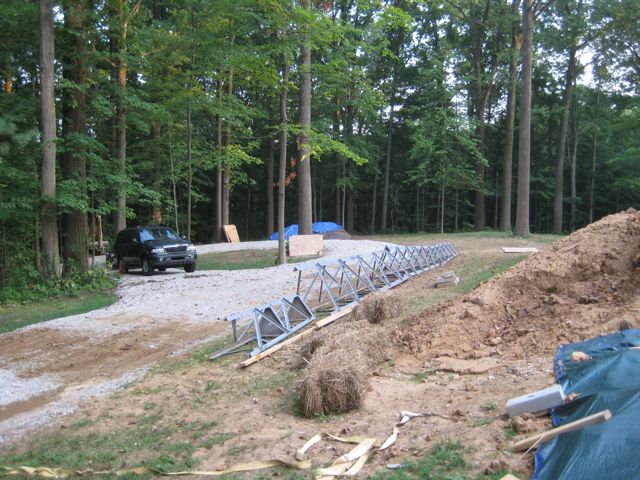
Portion of the New Driveway and the unassembled Tower

Portion of the New Driveway and the unassembled Tower


The photo to the right shows a portion of the new driveway along with several tower sections waiting to be assembled. The dirt to the right is from the excavation for the tower base.

In the next installment I’ll talk about the preparing the building permit and some of the other planning  that had to happen before actually starting the construction of the tower.

73,

Fred

My First Tower (Part 1)

Tower_Complete

Completed Tower and Beams

I, like most hams have always longed for bigger and better antennas.  For most of my time as a ham I lived in sub-divisions that would only allow very discrete antennas.  None of these locations had trees large enough for hanging wire antennas, so my only antennas for many years were short verticals.  These verticals seemed to work pretty well, but didn’t provide opportunities for much DX because they were short and had only a few short radials.

After I moved to the country in 1993, I dreamed of installing a tower with a beam but for nearly 15 years my job kept me from spending much time much with my radio equipment or antennas.  In 2008 I retired and found I had a lot more time to spend with my radios.  I installed a 135′ doublet up 50 feet between two of our large trees and suddenly I was working DX I had never heard on my verticals.  After chasing DX for a couple of years using the doublet I got the itch to install some sort of beam antenna.  In the next several posts I will walk you my experiences (good and bad) of installing my first (and probably only) tower and beams.

A Good Day

Even though the sunspots are taking a rest I still was able to log a new one today: Tokelau Island ,ZK3T, aka DJ2EH (Dieter).  He had a very nice signal in to Indiana this afternoon.

73,

Fred

Why do we hams accumulate so much stuff?

I have been planning for nearly a year to move my ham shack from its current location inside a small walk in closet to my home office.  The home office is closer the base of my tower, but more importantly it is about four times the size of my current location.  Unfortunately, my home office has become a large storage space since I retired.

I spent a few hours this morning sorting through some of the stuff I have been shoving into my office over the past 5 years.  It is hard to believe all the stuff we hams hold onto.  It seems like I am personally attached to every ham gadget, blown fuse, burnt resistor or piece of gear I ever purchased!  Fortunately, the clutter is overpowering me so it is time for some Feng Shui!  Some of this stuff is going to have to go to new homes.   Now if I can just follow through and leave more at the next hamfest than I bring home!

73,

Fred

HughesNet Upgrade

🙂 The HugheNet upgrade happened today.  It only took the installer about an hour to change out the old modem and dish.  So far the Gen4 is a vast improvement over our older HughesNet connection.  I haven’t measured the download speeds yet, but it does feel much zippier than before.

Fred, KC9QQ

Internet Upgrade

I don’t know how many of you live in rural areas, but those of us that do understand that some of the benefits of not having onerous Home Owner Association restrictions on our antennas are offset by the poor options for internet access.  While my ham friends in the city all have 2 to 50 mb internet speeds I have had to rely on a 1mb (on a good day) satellite connection.

My internet access is through HughesNet.  When I first installed HughesNet several years ago I experienced nearly a year of erratic access which often forced me to deal with their offshore technical support group.  It is a good thing that I could not crawl through the phone lines during a couple of those calls or the technician would have been running through the streets of Delhi with me on his heals!  Fortunately, things finally stabilized and it has run reasonably well for the past 3 years.

However, one of the biggest problems has been the limited amount of data that could be downloaded each day.  Watching one or two YouTube videos could use up your daily allotment which would cause your system to be FAPed (fair access policy) for 24 hours.  They say that is a reduction in speed but in reality it is more like having your access turned off for 24 hours (slower than dial up).  Even doing software upgrades had become nearly impossible because the size of upgrades has gotten bigger since most people are now connected by high speed broadband connections.  For example a recent upgrade to my Apple iMac was nearly one  gigabyte, twice as much as my FAP limit.  They only way I could upgrade the iMac was to download the upgrade between 2:00 am and 6:00 am when they don’t impose the FAP limit.  Even with the FAP free window,  at 1 mb/s it was still difficult to do large upgrades because they would not complete within the window.

HughesNet has now come out with their Gen4 system.  It has download speeds up to 15 mb/s (of course reality will be something less than that).  They have also changed their FAP to be a monthly total of (10-15 gb) rather than a daily limit.  This should make software downloads and other high bandwidth downloads (Netflix) possible each month.  At least I am keeping my fingers crossed.  I just hope I don’t have to live through another year of growing pains before the new system stabilizes :-(.

The installation is supposed to happen today (in the snow), so if I drop of the map for a week or two you’ll know it didn’t go well.  I’m hoping the ham radio axiom that antennas installed in bad weather work the best will also apply to my satellite internet antenna.

73,

Fred, KC9QQ

HughesNet has now come out

Logging Software

Over the past 5 years I have tried several Windows based logging programs.  I have installed and worked with each of the following logging programs:

  1. AC Log  http://www.n3fjp.com/
  2. Logic 8  http://www.hosenose.com
  3. Ham Radio Deluxe  http://www.hrdsoftwarellc.com
  4. DXLab   http://www.dxlabsuite.com

In addition to these general purpose logging programs, I also use N1MM for contest operation.

After extensively working with each of these programs I found there is not a perfect logging program.  However, all of these programs can easily handle station logging.  In the end, it boils down to your operating style and personal preferences as to which of these or one the dozens of other logging programs is the right one for you.

Some have visually nice user interfaces such as Ham Radio Deluxe.  Ham Radio Deluxe also has a wonderful digital mode program, DM780.  Others are very easy to use such as AC Log.  Logic 8 and DXLab are more complicated because they provide a tool chest of applications which cater to the DXer; especially those chasing new countries and relying on LoTW, eQSL, traditional QSLs and OQRS for confirmations.  Ultimately, I adopted DXLab as my primary station log.  I continue to use N1MM as my contest log.

DXLab has enabled me to take control of my QSLing because it does and excellent job keeping track of all confirmations and automating much of the process of generating QSL cards for needed DXCC entities.  DXLab can also track confirmations for several other awards.  DXLab also has a very active Yahoo support group.  Anytime I have had a question or problem, I have gotten the solution within hours from the Yahoo group–often from Dave the programs author.    The other amazing thing is that DXLab is free.

DXLab is actually a suite of programs that function in unison to seamlessly handle logging, spotting, rig control, DXCC data lookup and call sign lookup from CD,  QRZ.com , HamCall etc.  You can select which pieces you want to run for any given operating session.  For example, if you do not need spotting when your doing your morning ragchew, you do not need to start that module.  In the afternoon or evening when you decide to chase some DX, just fire it up and it begins to show you the last spots.  Spotcollector will also color highlight those entities needed for award submittals. Double click on a spot and Commander will tune your radio to the right frequency, set the initial split offset and switch to the proper mode.  Also, DXView (if you have it running) will look up the station, provide the beam location and a wealth of other useful information.  It is really impressive how the various modules work together to provide seamless logging solution.

The digital mode program Winwarbler is OK, but I still prefer DM780 for PSK-31 operation.  That is not a problem, because DXLab has hooks that allow Winwarbler to be replaced with DM780 using a simple plugin that integrates it into the DXLab system (pretty slick).

My one complaint about DXLab is that it does take a lot of screen real estate.  I solved that problem by moving to a larger monitor.   DXLab can also work with two monitors, by allowing you to place some of the less used windows on one monitor while the windows you use the most are kept on the main monitor.  I am considering adding a second monitor, because it would be nice to have a second monitor when using N1MM during contests.

During contests, I still do my logging in N1MM because it is absolutely fantastic for contest work.  After the contest is over I export an ADIF file  which I easily import into DXLab.  Recently, a plugin was released which provides a realtime interface between DXLab and N1MM so that the export/import process can be avoided.  However, my personal feeling is that N1MM is enough of a resource hog during a contest that I would prefer not to have DXLab running in the background.  However, I admit I have not tried it so I don’t know if would be a problem.

If your considering moving to a new logging program be sure to spend some time with DXLab.  If you do, I think you’ll like what you see.

Fred, KC9QQ

Little Time for Hamming

I had planned to spend a few hours on the radio the past couple of days but that has not been possible.  I have been involved in moving a number of websites to a new host and the process has taken more time than I thought it would.  My new hosting provider is Hostgator.com.  I have been very

SnappyMascot of Hostgator.com

Snappy
Mascot of Hostgator.com

pleased with their whole setup so far.  Their customer support has been excellent!  Also, their control panel provides just about every conceivable option that I need.  My prior host providor (verial.com) provided poor technical support, a control panel with minimal capability and a price 6 times higher than hostgater.com.

As of this morning the move is nearly complete.  I am just waiting for the DNS for the final site to propagate through this system so that I can verify that everything is working as expected.  For some reason the DNS for the last site is taking longer to propagate than the other four that I moved.  I guess that is Murphy at work.  I have rechecked all the setting so I assume I just need to be a bit more patient.

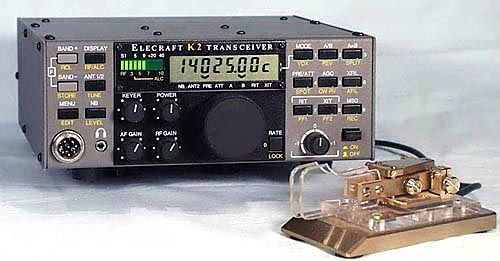
I plan to spend a little time on CW this afternoon with the K2.   I really enjoy the contacts I make on the K2.  I am always amazed how well I can get out with only 5 watts.  I’m sure the 8 element log

Elecraft K2-10

Elecraft K2-10

periodic helps!  I am also impressed with how well this kit built radio works.  The receiver on the K2 is just as sensitive as the one in my Icom 756 Pro III.  The K2 does not have all the bells and whistles of the Icom but it sure does perform well.


One of these days I would love to spring for a K3.  I just need to wait for my money tree to start producing $100 bills. Or maybe, I’ll generate enough savings from my new Host provider to convince my XYL I need a need a K3.   It may be a long wait.

Fred